

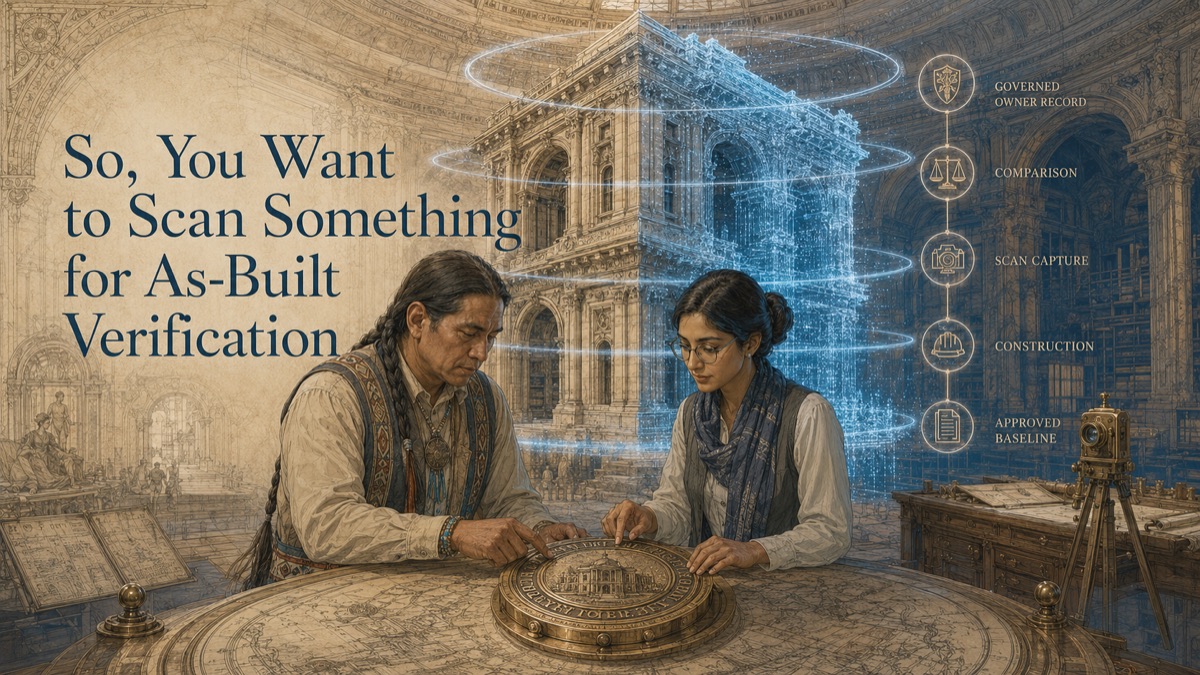
An owner receives a closeout package at the end of a project. The drawings are labeled as-built. The model has a final revision. The contractor has demobilized. But the owner still has a practical question: does the record actually match what was installed? If the answer is unclear, the next renovation, claim, warranty review, equipment replacement, or operations decision begins with uncertainty.
As-built verification is different from as-built documentation. Documentation records what exists. Verification compares selected installed conditions against an approved baseline, using a defined alignment method, tolerance source, exclusion list, and review authority. Laser scanning can provide powerful evidence, but it does not automatically certify code compliance, concealed work, material quality, or system performance.
Key Takeaway
As-built verification is different from as-built documentation. The right deliverable, accuracy language, scope boundary, and review responsibility should be defined before project teams rely on the data.
The Handover Problem: Records Are Not the Same as Verification
This is why GDS treats scanning as a decision-support workflow, not just a technical field activity. The question is not simply, "Can we scan it?" The more useful question is, "What decision must the data support, and what evidence will make that decision safer?"
Documentation vs. Verification
As-built documentation says, “This is what exists.” As-built verification asks, “How does what exists compare to what was approved?” A point cloud can support both, but verification requires more structure. The report must identify the baseline, revision, comparison method, tolerances, coverage, exclusions, and reviewer.
Without those elements, a scan may be useful documentation but not a defensible verification package.
The Five-Phase As-Built Verification Cycle
Phase 1 - Lock the baseline
Identify the approved design model, drawing, specification, coordinate system, revision, and tolerance criteria used for comparison.
Phase 2 - Capture constructed conditions
Scan the visible installed work at the appropriate time, especially before elements become concealed by ceilings, finishes, insulation, or backfill.
Phase 3 - Align and compare
Register the scan and compare measured conditions to the approved baseline using the documented alignment method.
Phase 4 - Report findings and limitations
Provide deviation maps, issue tables, coverage notes, exclusions, and a clear separation between measured evidence and acceptance decision.
Phase 5 - Update the owner record
Incorporate accepted as-built conditions, dispositions, and revision information into the owner’s governed facility record.
Why Progressive Verification Matters
The most valuable verification often happens before handover. Foundations, embeds, MEP rough-in, above-ceiling work, underground utilities, and structural interfaces may become inaccessible later. Scanning at defined milestones can document visible conditions before the next trade covers them.
Progressive verification does not need to scan everything. It should focus on elements where late discovery would be expensive, disruptive, or impossible to verify after covering work.
What the Verification Report Should Show
A verification report should explain the scope, baseline, coordinate system, alignment, tolerance criteria, measured findings, coverage limitations, and disposition pathway. Color maps are useful, but color alone should not determine acceptance.
The report should also distinguish measured surfaces from modeled or inferred geometry. That distinction protects both GDS and the client by showing what the evidence actually supports.
Using the Record After Handover
A verified as-built record can support future retrofits, maintenance planning, space studies, claims review, asset documentation, and emergency response. Its usefulness depends on provenance: capture date, revision, coordinate reference, modeled-versus-measured status, and update history.
Future users should confirm that the relevant physical conditions have not changed before relying on the record for new decisions.
Verification Milestone Planner
Select the project milestone to see what should be controlled before the work becomes harder to observe.
Quick Facts
Continue Reading
The next best article depends on where you are in the project. These suggested reads connect this topic to the next practical decision your team is likely to face.
Frequently Asked Questions
What is the difference between as-built documentation and verification?
Documentation records what exists. Verification compares selected constructed conditions against an approved baseline and criteria.
When should verification scans happen?
At milestones before work is concealed and at handover when a final visible-condition record is needed.
Does a scan certify the project?
No. It provides measurement evidence. Formal certification, compliance, acceptance, or disposition belongs to the authorized project parties and applicable procedures.
What baseline should be used?
Use the approved model, drawing, or specification revision that the project has identified for comparison, with file name, date, and revision recorded.
How can the verified record help later?
It can become a stronger baseline for renovations, retrofits, maintenance, claims review, and owner documentation when kept current through change control.
Connect this article to the right GDS workflow
Most physical-to-digital projects touch more than one service. GDS can help determine whether the right starting point is 3D laser scanning, 3D modeling, reverse engineering, or consulting before scope, pricing, schedule, and deliverables are finalized.
GDS supports projects nationwide. Examples from the current locations page include Los Angeles, Long Beach, Irvine, and Riverside.
Ready to Start?
Tell GDS about your asset, your goals, and your deliverable needs. GDS can scope the right scanning, modeling, and reporting for your project.