

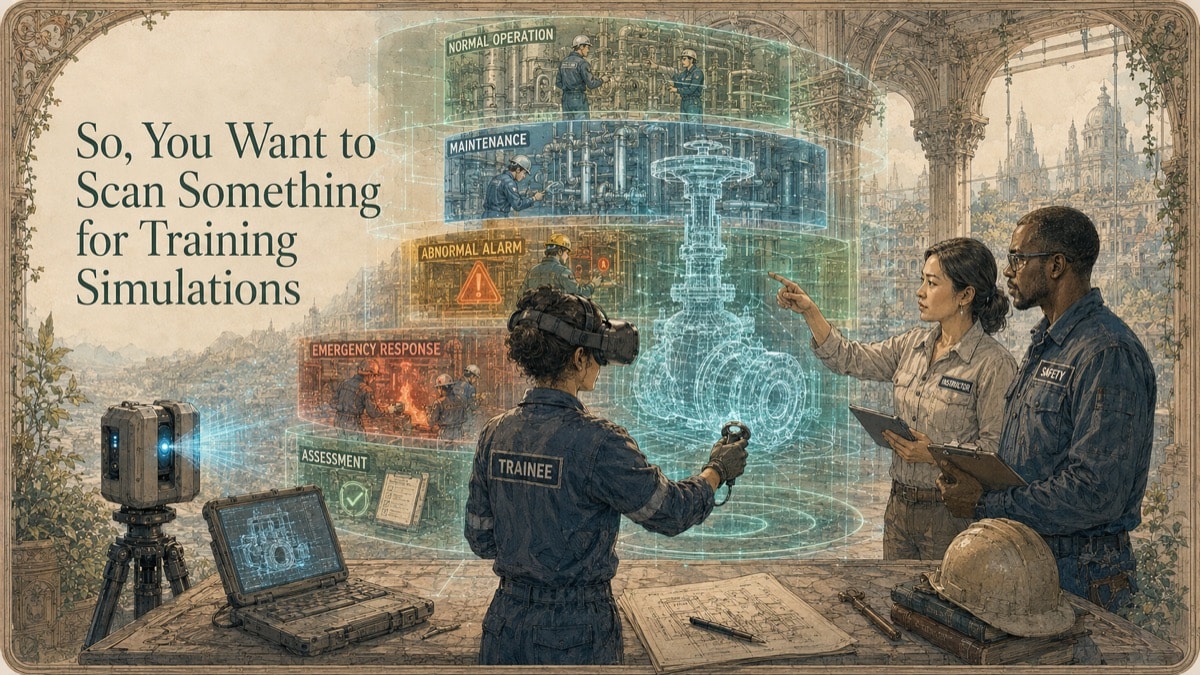
A facility wants a training simulation that feels real because the work is real: a maintenance procedure, safety walkdown, inspection route, emergency response, or lockout sequence. A generic model may look professional, but trainees need the right door, valve, panel, clearance, route, hazard, and equipment state. The scan is the spatial foundation, not the training program by itself.
This is why GDS treats scanning as a decision-support workflow, not just a technical field activity. The question is not simply, "Can we scan it?" The more useful question is, "What decision must the data support, and what evidence will make that decision safer?"
Key Takeaway
Training simulations require operational truth, not merely visual realism. Define learning objectives, trainee actions, equipment states, hazards, accuracy tiers, and validation ownership before capture.
The Training Simulation Problem: Visual Accuracy Is Not Learning Accuracy
Photorealism can improve presence, but learning depends on objectives, practice, feedback, and assessment. A valve that looks correct but behaves incorrectly can train the wrong behavior. A route that is visually compelling but dimensionally simplified may fail to teach clearance, egress, or tool access. Geometry should be tied to the tasks it supports.
The strongest projects separate what is known, what is measured, what is modeled, and what still requires judgment. That protects the client and the service provider because the deliverable becomes evidence with context, not an implied guarantee beyond the approved scope.
What the Scan or Data Package Should Resolve
The project should identify which elements require measured fidelity, which can be simplified, and which require subject-matter authored behavior. Normal, shutdown, maintenance, abnormal, and emergency states may need separate capture or scenario authoring. Validation should include geometry specialists, instructors, safety stakeholders, equipment owners, and representative users.
A good article page should help the reader choose the right next step. For some projects, that may be a broad spatial baseline. For others, it may be a focused interface scan, a lightweight model, a textured asset, a deviation report, or a consulting engagement before any field capture begins.
The Seven-Phase Scan-to-Training Workflow
Phase 1 - Define learners and outcomes
State what trainees must recognize, decide, perform, avoid, or demonstrate.
Phase 2 - Map scenarios and critical geometry
Identify routes, controls, hazards, equipment states, access points, and assessment triggers.
Phase 3 - Set accuracy and state requirements
Tier fidelity according to learning consequence and document metric-first units and state assumptions.
Phase 4 - Capture approved conditions
Record equipment configuration, signage, temporary conditions, access limits, and exclusions.
Phase 5 - Create simulation geometry
Preserve the measured master and create optimized, segmented, collision-ready derivatives.
Phase 6 - Author interactions and instruction
Add state logic, prompts, feedback, tools, and scoring under assigned responsibility.
Phase 7 - Validate and deploy
Conduct geometric, operational, instructional, accessibility, performance, and user acceptance testing.
Deliverable Strategy
| Deliverable Type | When It Helps | Key Control |
|---|---|---|
| Registered point cloud | Preserves measured visible conditions as source evidence | Capture date, coordinate basis, coverage, and exclusions |
| Mesh or surface asset | Supports visualization, VR, VFX, reproduction, or measured surface review | Repair status, density, texture, scale, and intended use |
| CAD / STEP / IGES | Supports engineering exchange, reverse modeling, interfaces, and downstream design | Modeled-versus-measured status and design-intent assumptions |
| Drawings / exhibits / reports | Supports stakeholder review, procurement, QA, or decision records | Revision, units, review authority, and limitations |
Table accessibility note: The header row defines each deliverable, its best-use case, and the control required before relying on it.
Use Cases
- Facility orientation before site access
- Maintenance, inspection, and equipment-changeover rehearsal
- Lockout/tagout sequence familiarization and safety scenarios
- Emergency egress, remote walkthroughs, and instructor-led training
Risks and Misconceptions
Photorealism does not guarantee learning
Decorative detail should not displace task-critical geometry, sequence, feedback, and assessment design.
The scan does not prove the procedure is correct
Procedures, hazards, equipment states, and safe work methods require authorized subject-matter review.
One facility state may not be enough
Training may require normal, shutdown, maintenance, abnormal, and emergency configurations.
Simulation does not automatically replace field qualification
Site authorization, supervised practice, licensing, or hands-on qualification may still be required.
Training Scenario Evidence Matrix
Choose what the learner must practice. The tool separates geometry that can be captured from information requiring subject-matter authority.
Quick Facts
Continue Reading
The next best article depends on where you are in the project. These suggested reads connect this topic to the next practical decision your team is likely to face.
Frequently Asked Questions
Can scan data reproduce equipment behavior?
No. Scanning captures visible geometry. Behavior, logic, states, and procedures must be authored from verified engineering and operational information.
How accurate must a training environment be?
Accuracy should follow the learning objective and the consequence of geometric error.
Can GDS scan an operating facility?
Sometimes, depending on safety, access, movement, vibration, confidentiality, and operational constraints.
Who validates the final training simulation?
Validation should include geometry specialists, equipment owners, instructors, safety stakeholders, and representative trainees.
Connect this article to the right GDS workflow
Most physical-to-digital projects touch more than one service. GDS can help determine whether the right starting point is 3D laser scanning, 3D modeling, reverse engineering, or consulting before scope, pricing, schedule, and deliverables are finalized.
GDS supports projects nationwide. Examples from the current locations page include New Orleans, Baton Rouge, Shreveport, and Houston.
Ready to Start?
Tell GDS about your asset, your goals, and your deliverable needs. GDS can scope the right scanning, modeling, and reporting for your project.