

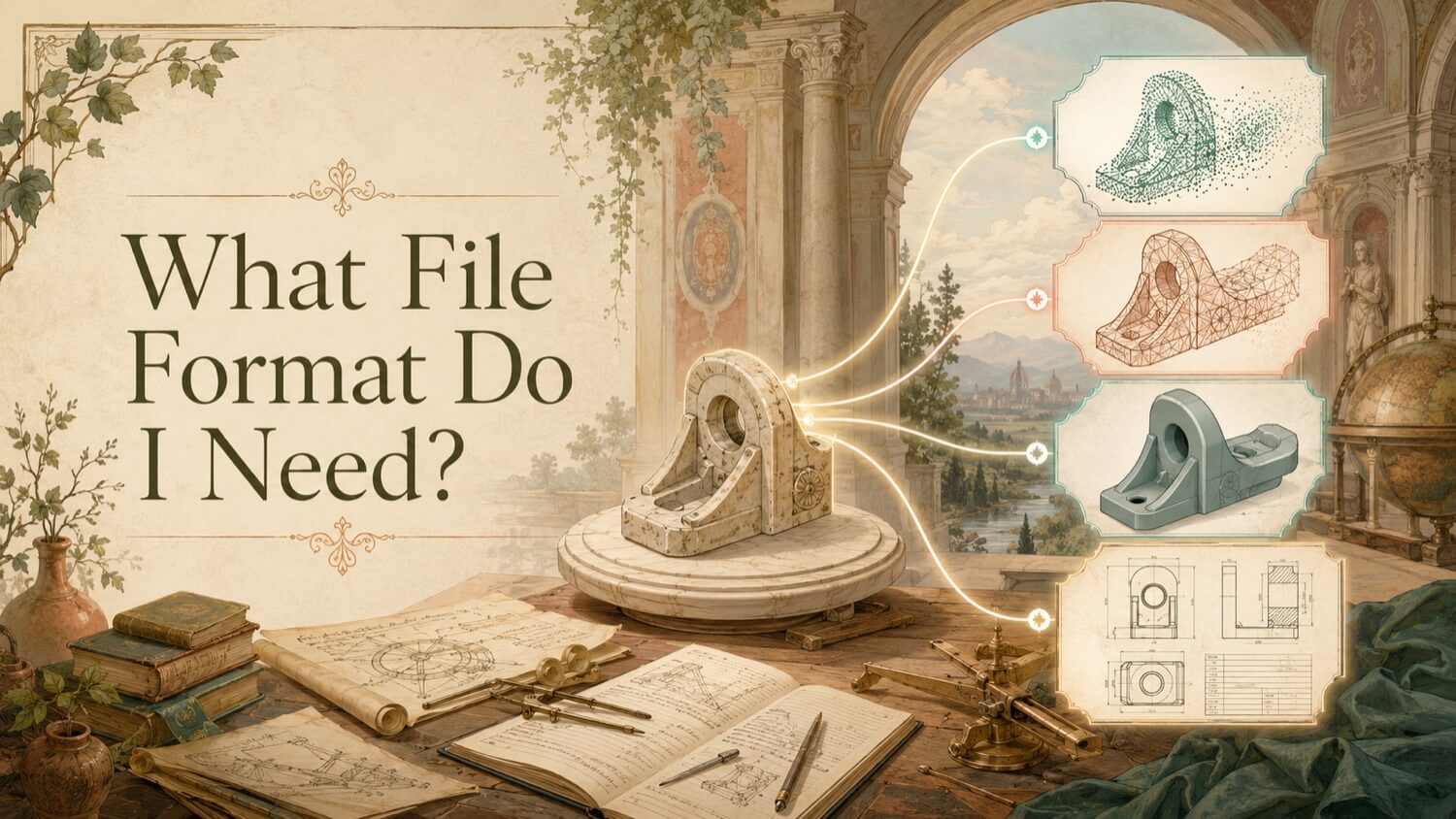
CNC machining requires boundary-representation (B-Rep) solid geometry , a mathematically exact, closed solid model that defines every surface of the part using analytical equations. The correct file format is STEP (.step / .stp) or Parasolid (.x_t). STL mesh files are not compatible with professional CNC CAM workflows and will produce unacceptable results if submitted to a machine shop.
The Non-Negotiable Answer: B-Rep Solid Geometry
CNC Computer-Aided Manufacturing (CAM) software , Mastercam, Siemens NX CAM, CATIA Machining, Fusion 360 CAM, Hypermill , generates cutting toolpaths by mathematically interrogating the surfaces of a solid model. For a cylindrical bore, the CAM system evaluates the analytical cylinder equation to compute the exact arc-interpolated tool motion that produces a smooth, dimensionally correct finish.
This mathematical interrogation requires the analytical surface definitions that only B-Rep solid formats (STEP, Parasolid, ACIS SAT, native CAD) can provide. Without them, the CAM system has no mathematically smooth surface to follow , only the faceted approximation of a mesh.
Why STL Fails in CNC CAM Software
When a CAM programmer attempts to machine from an STL file, the software interprets each triangular face as a discrete, individual machining surface. The cutting tool attempts to follow the boundary of every triangle:
| Problem | Cause | Consequence |
|---|---|---|
| Surface chatter | Tool crosses facet boundaries | Rough finish, visible facet lines |
| Tool wear acceleration | Micro-impacts at triangle edges | Shortened tool life, increased tooling cost |
| Dimensional errors | Triangle size introduces positional offset | Part out-of-tolerance |
| Toolpath generation failure | CAM software cannot create smooth arcs | Manual path editing required |
For precision components , bearing bores, sealing faces, threaded features , machining from an STL is functionally incompatible with quality requirements.
Practical rule of thumb: STEP or Parasolid is usually the right starting point for CNC.
Recommended CNC File Formats
STEP (ISO 10303)
STEP AP242 is a common GDS deliverable for reverse engineering and CAD reconstruction projects when the client needs a neutral solid CAD format for downstream manufacturing. It is a widely accepted neutral format used by many CAM platforms and machine shops, often reducing translation issues compared with mesh-only formats. The B-Rep geometry within a STEP file defines:
- Exact planar faces (flat machining planes)
- Exact cylindrical bores and external profiles (arc-interpolated tool paths)
- Exact fillet radii (smooth blending tool paths)
- Exact thread major/minor diameters and pitch (for threading operations)
AP242 additionally supports embedded PMI (tolerances, GD&T, surface finish callouts) that some CAM platforms can read directly, reducing the programmer's reliance on a separate 2D drawing.
Parasolid (.x_t / .x_b)
Parasolid is the geometric kernel underlying SolidWorks, Siemens NX, Solid Edge, and several CAM platforms. Parasolid files preserve B-Rep geometry at the kernel level , no translation loss, no surface approximation. For machine shops running NX CAM or SolidCAM in a Parasolid-native environment, Parasolid exchange may produce marginally cleaner toolpaths than STEP on complex freeform surfaces.
GDS delivers Parasolid (.x_t) upon request as an alternative to STEP.
IGES (Legacy , Use with Caution)
The IGES (.igs / .iges) format, while historically common, is a legacy standard prone to surface translation errors on complex geometries. Many modern CAM platforms still accept IGES, but surface discontinuities, missing faces, and unit conflicts are more frequent than with STEP. GDS does not recommend IGES for new projects but can deliver it if a legacy CAM environment specifically requires it.
What Your Machine Shop Needs from GDS
When GDS reverse engineers a physical component for CNC reproduction, the standard deliverable package includes:
| Deliverable | Description |
|---|---|
| STEP AP242 (.step) | Machine-shop-ready solid model |
| CAV Deviation Heatmap (PDF) | Dimensional verification report |
| Model Unit Confirmation | Explicit confirmation of metric (mm) or imperial (inch) units |
| Thread Specification Note | Physical gauge measurements for all threaded features |
| Material Callout | Recommended material spec if inferrable from context |
Before submitting to a machine shop, GDS recommends providing the STEP file plus the CAV report , the report gives the programmer and quality inspector a baseline reference for critical dimensions without requiring them to independently measure the STEP file.
Quick Facts
Continue Reading
The next best article depends on where you are in the project. These suggested reads connect this topic to the next practical decision your team is likely to face.
FAQ
Can I send an STL file to a CNC machine shop?
A professional machine shop will typically reject an STL file or warn you that results will be poor. CNC CAM software requires B-Rep solid geometry (STEP or Parasolid) to generate smooth toolpaths. Machining from STL produces faceted surface finishes, excessive tool wear, and dimensional errors. GDS can convert a physical part or existing scan mesh into a STEP AP242 file for CNC programming when the geometry and project requirements support that workflow.
What is STEP AP242 and why is it better than AP203?
AP242 is the current-generation STEP protocol that embeds semantic PMI , dimensional tolerances, GD&T callouts, and material specifications , directly in the 3D model as machine-readable data. AP203 carries only geometry. AP242 can support model-based definition and PMI workflows when the downstream software and project scope are set up to use that information.
How quickly can GDS deliver a STEP file from a physical part?
Delivery timing for a single mechanical component depends on part complexity, required deliverables, inspection needs, and current scheduling. Many straightforward projects can be scoped for delivery within a typical business-day range once the part and requirements are reviewed. Rush scheduling is available for critical production downtime situations , contact GDS to discuss expedited options.
Connect this article to the right GDS workflow
Most physical-to-digital projects touch more than one service. GDS can help determine whether the right starting point is 3D laser scanning, 3D modeling, reverse engineering, or consulting before scope, pricing, schedule, and deliverables are finalized.
GDS lists nationwide coverage from its locations page, including posted major metropolitan areas such as Houston, Dallas, San Antonio, Austin, Los Angeles, San Diego, San Jose, Long Beach, Fort Worth, Irvine, Riverside, New Orleans, Baton Rouge, Shreveport, Las Vegas, and Beverly Hills.
Send Us the Part , Get a Machine-Shop-Ready STEP File
GDS delivers STEP AP242 from any physical component in 3 to 10 business days , complete with CAV deviation report and thread specification note, ready for CNC programming.